


Wine-Mate HI: high temperature alarm on the older display
HI is the high temperature alarm on Wine-Mate's earlier controller.
Mon–Sat, 8am–8pm
- Temperature and alarms
- Cellar cooling load and room check
- Source: Wine-Mate
Book a visit
Three short steps, about a minute.
or call (844) 398-5977
Loading appointment form…
The appointment form couldn’t load. Please try again.
What HI
actually means.
HI is the high temperature alarm on Wine-Mate's earlier controller. It flashes when the cellar reads warmer than the set limit and resets itself once the temperature comes back within it. Pressing the set button silences the buzzer, but the code and the red LED stay until the cause is gone.
Wine-Mate wine cellar cooling unit display
What to do when HI shows on the wine cellar cooling unitKind of codeTemperature and alarms
The controller saw the cellar go past a high or low limit and raised an alarm, sometimes holding the worst reading it logged while the house was empty. The reason can be as small as the cellar door left ajar after a tasting or a long outage, a room gaining heat from new lights or a sunny glass wall, or as serious as cooling that has stopped. Keep the door shut and read a thermometer on a middle rack before touching anything; the alarm is a warning about the collection, not yet a diagnosis.
Usually leads toCellar cooling load and room check
Measuring the cellar as the cooling unit sees it: insulation, vapor barrier, door, glass and the heat load, to show whether the unit can ever keep up.
Shows up asCellar Cooling Unit Error Code
A cellar cooling unit error code appears as letters or digits on the controller, a flashing reading, a blinking light on the unit, or an alarm tone, sometimes while the cellar still holds its temperature.
MakeWine-Mate
Wine-Mate cooling units repaired on site when they will not start, ice over, trip a breaker or leave the walls wet.
SourceWine-Mate cooling systems digital display instructions (older VINO models)
Older Wine-Mate units with the earlier digital display, sold under VINO- model names such as VINO-1500CD, VINO-1500 HZD and VINO-2500SS. Current WM- units use the five-button controller instead.
Before you book,
in this order.
Each step comes from Wine-Mate's own guidance for HI on its wine cellar cooling units. Follow it to the end: the last card says whether this is a visit.
Press the set button to silence the buzzer; the code stays until the room cools.
Clean the exhaust grille, which this older manual asks owners to do 3 to 4 times a year.
Check for ice on the unit and for air leaks into the cellar, both listed in the older troubleshooting chart.
If the cellar keeps warming, move the most valuable bottles and book a visit.
Still there?
It usually turns into cellar cooling load and room check. Book with the code and the model number.
What not to do
HI on this display is a temperature warning, not a sensor reading off the scale. On current Wine-Mate controllers the same warning appears as HA.
What you may
notice with it.
The wine cellar cooling unit problems HI tends to arrive with. Answer these at the wine cellar cooling unit before anyone is booked.
All problems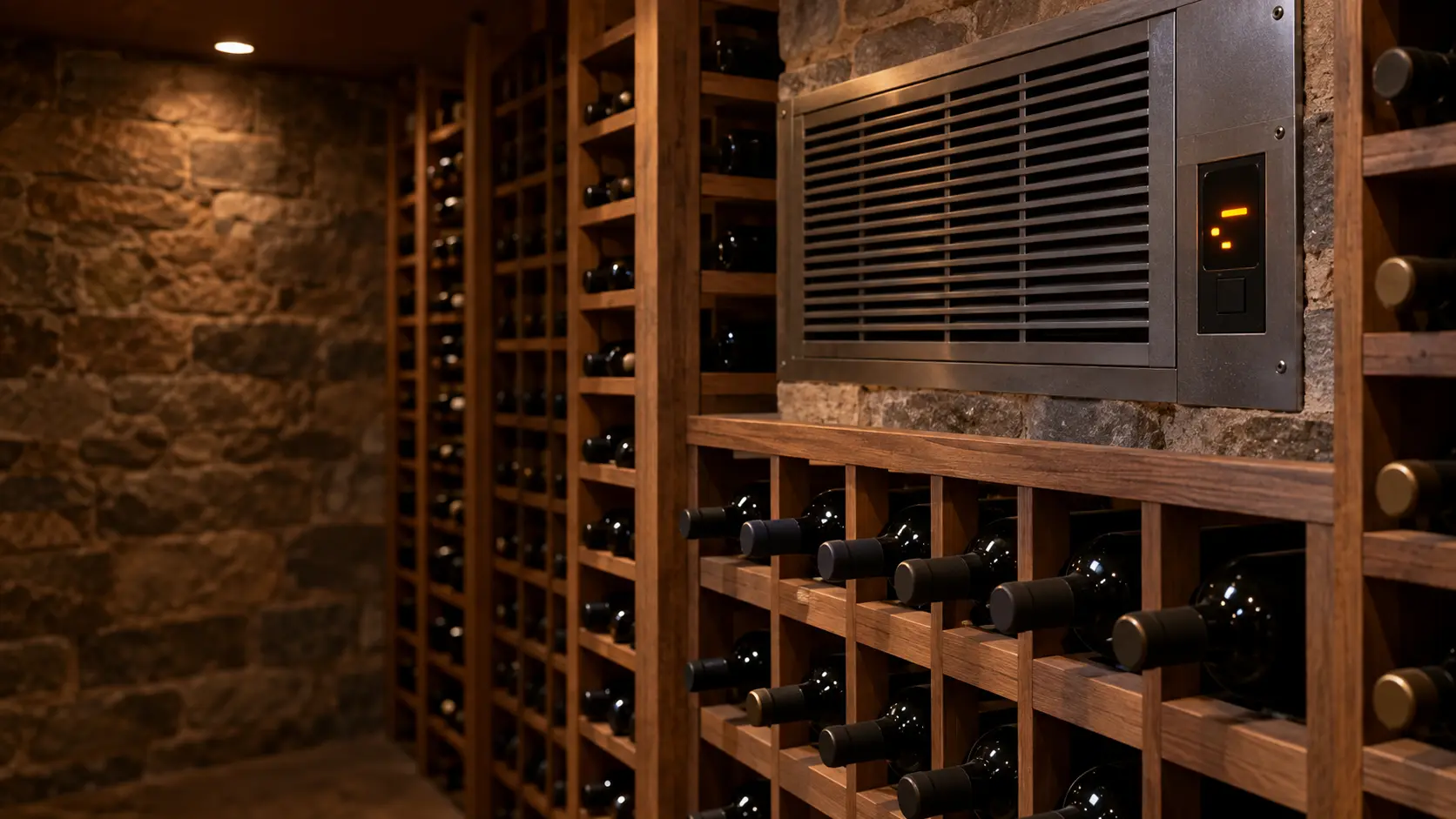
Where HI usually leads
Cellar cooling load and room check.
Wine-Mate
wine cellar cooling units.
Wine-Mate cooling units repaired on site when they will not start, ice over, trip a breaker or leave the walls wet.
Wine-Mate wine cellar cooling unit repairMore Wine-Mate codes
Temperature and alarms on other makes

Through-the-wall cellar cooling unit
A self-contained box set into an opening in the cellar wall: its cold face blows into the wine room, and its warm face breathes out into the room next door.

Ducted cellar cooling unit
A self-contained cooling unit placed outside the cellar, in a mechanical room, attic or basement, that sends chilled air in and takes return air back through insulated ducts.

Split-system cellar cooling
An evaporator inside or beside the cellar and a condensing unit outside or in another room, joined by an insulated copper line set and charged on site.
In Wine-Mate's own words
HI FLASHING -HIGH TEMPERATURE ALARM -The unit has read high tempature which is higher than the set point.
Every code on this site is taken from the manufacturer's documentation, never from a forum or a parts listing. Older Wine-Mate units with the earlier digital display, sold under VINO- model names such as VINO-1500CD, VINO-1500 HZD and VINO-2500SS. Current WM- units use the five-button controller instead.
Wine-Mate HI wine cellar cooling unit repair,
where we come out.
The same visit in every metro below: the code, the model number, and a diagnosis before any part is ordered.
All service areasTampa BayFL · 31 areas
Miami / South FloridaFL · 47 areas
New York MetroNY · 75 areas
HoustonTX · 36 areas
ChicagoIL · 50 areas
Los AngelesCA · 95 areas
San DiegoCA · 31 areas

Questions
about HI.
Can I clear HI myself?
How can I tell whether my Wine-Mate has the older display?
Why does HI keep flashing after I silenced the alarm?
What should I check first when HI shows up in summer?
Back to your everyday
Still showing HI?
When you book, type the code or the blink count as the controller shows it, add the full model number, and say what the thermometer in the cellar reads now — that gives the technician a head start.